
Application Screenshots and Application Flow
Please note that this is “our demo” application and is not necessary the final application or the final workflow. We had a relatively short period of time to start the development process and it is by all means not complete or final.
We have not implemented the “Official Mercedes-Benz Corporate Identity and Application Design Guidelines”. These will be implemented as soon as possible to adhere to Mercedes-Benz and Daimler CI.
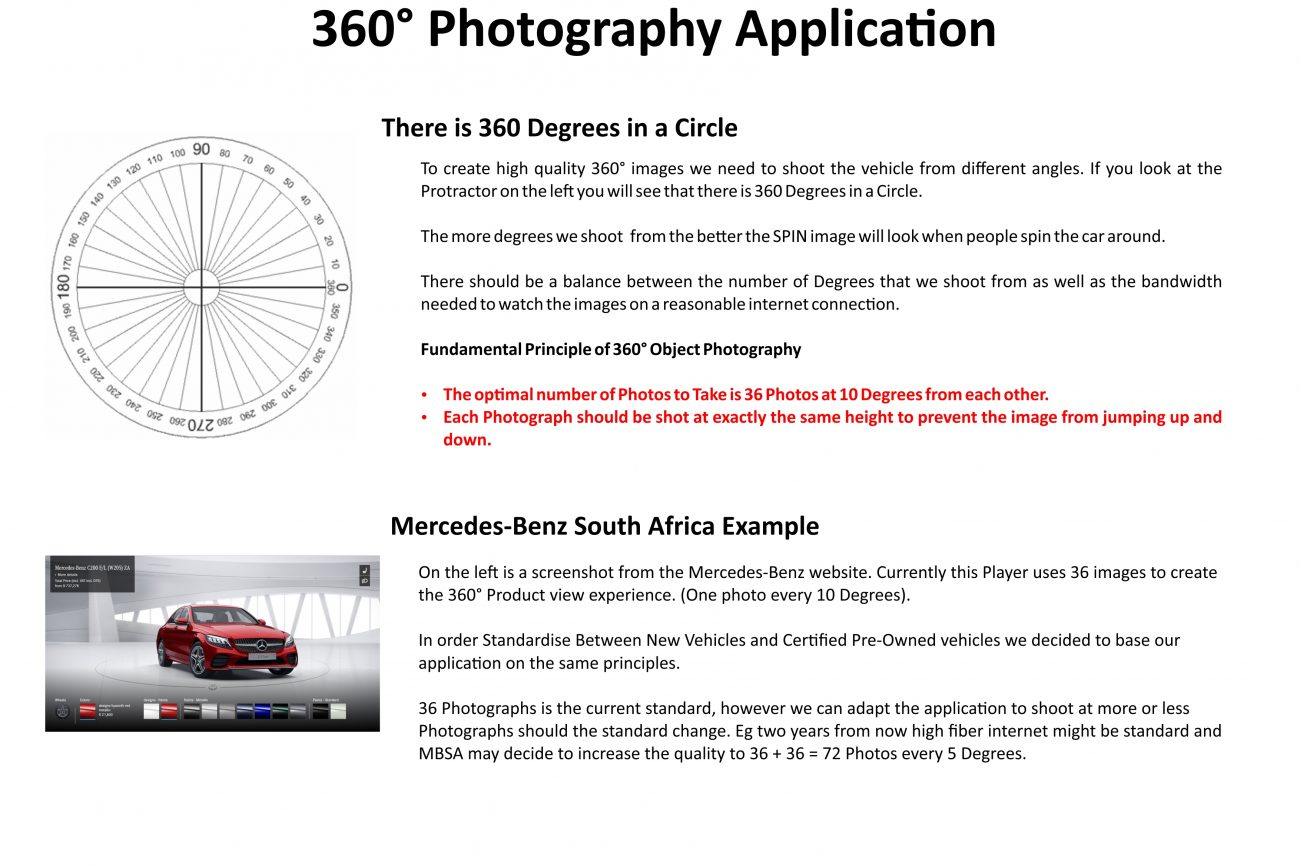
EXPLAINING THE FUNDAMENTALS AND PROCESS FLOW OF TAKING THE 360° IMAGES AND HIGH DETAIL EXTERIOR AND INTERIOR IMAGES.
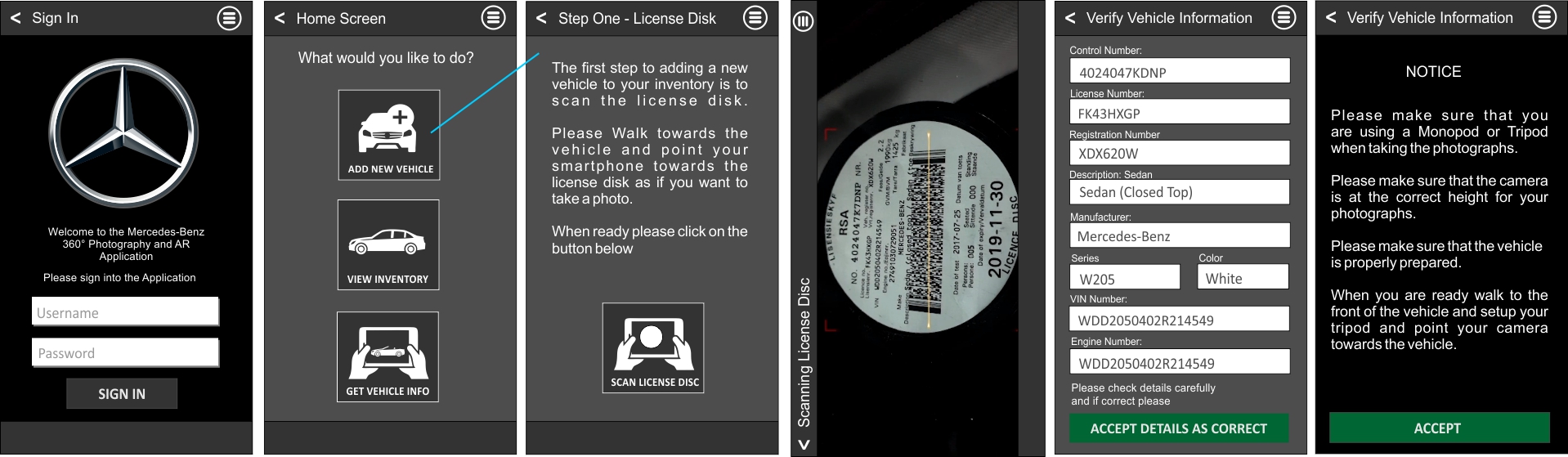
- Photographer Starts the Application
- Photographer choose to create a new vehicle.
- Application Instructs Photographer to Scan the Vehicles License Disk.
- Photographer Scan License Disk – Application Captures from License Disk the applicable information: Control Number, License Number, Registration Number, Description, Manufacturer, Series, Color, Vin Number, Engine Number.
- Photographer double checks information for accuracy, if it is accurate (it should be accurate 99% of the time) he accepts the information as correct. If he needs to amend it, he can do it manually.
- Application based on Model number from license disc capture, load the 3D Model and Augmented Reality guidelines for the SPECIFIC Vehicle.
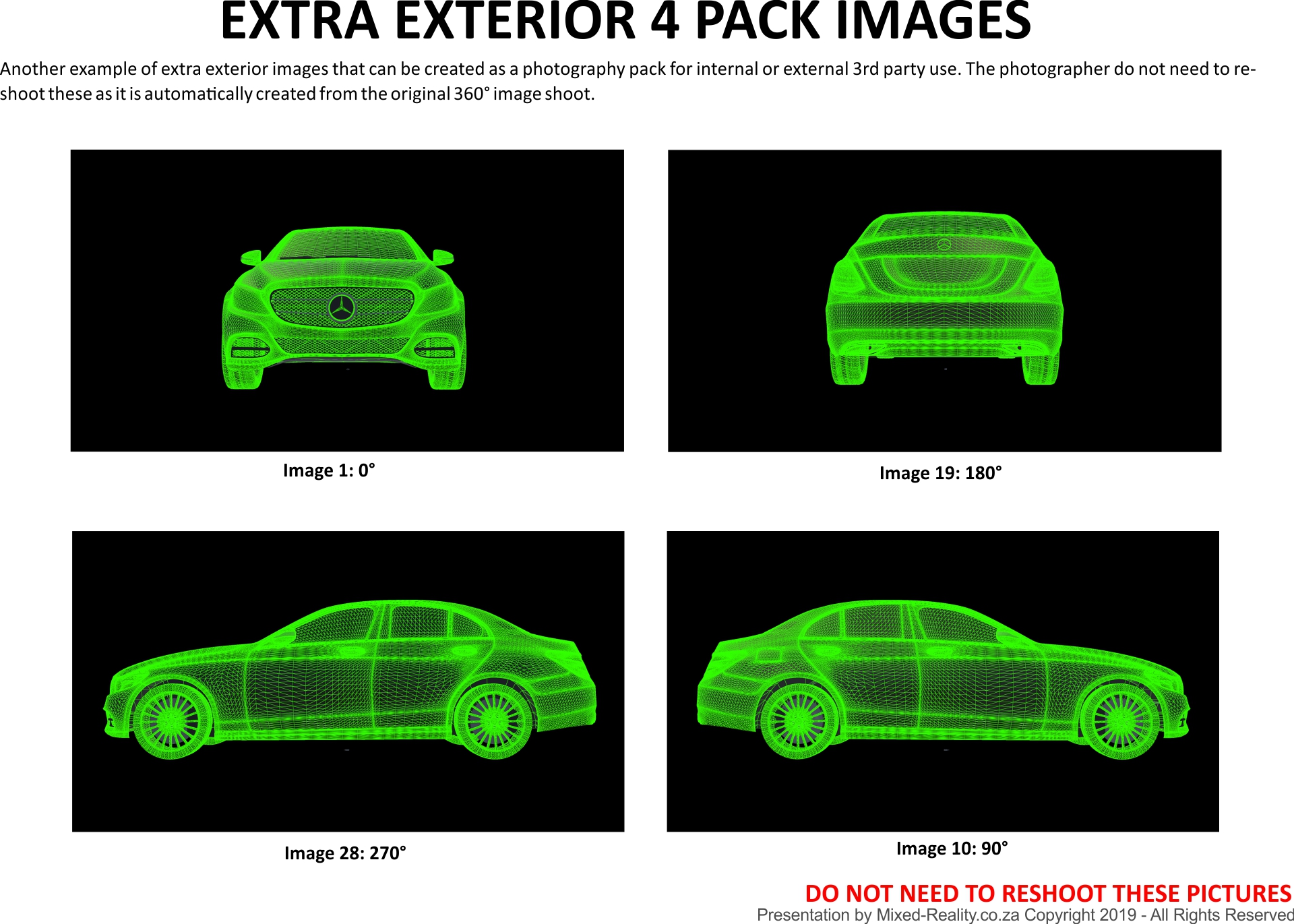
- CAPTURE 360° IMAGES: The Photographer is instructed to take the photographs per direction from Application. Move to position 1, align camera per position 1, AR functionality recognize correct image, Photographer can now take image 1. Photographer can preview image quality, if quality is acceptable, accept the image, Application directs photographer to move to position 2. (repeat steps – align camera, AR Application Recognize the vehicle, Photographer takes image, Application shows preview image, photographer can retake photograph or accept photograph, Application directs photographer to move to next position) – Repeat for 36 x Photographs.
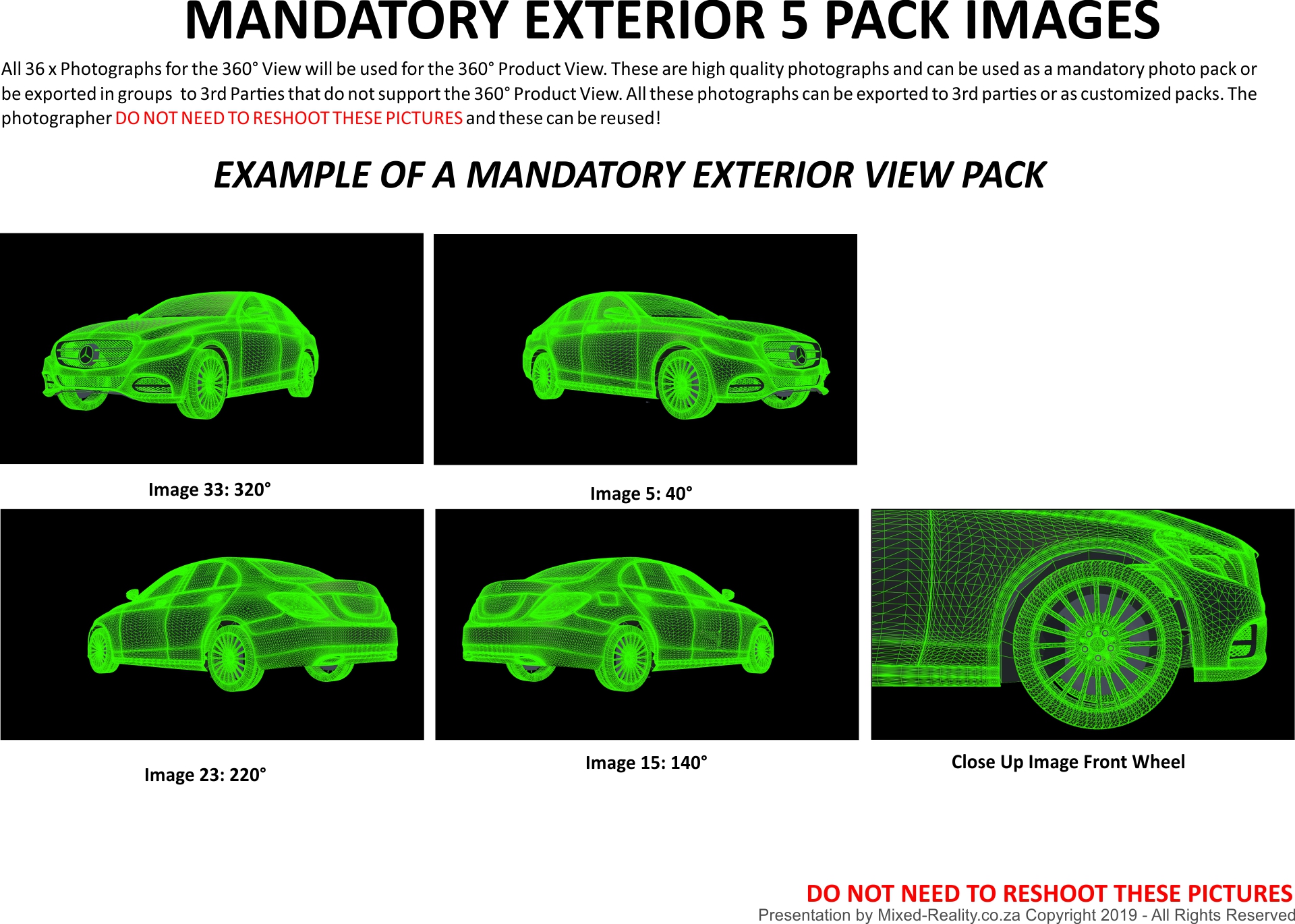
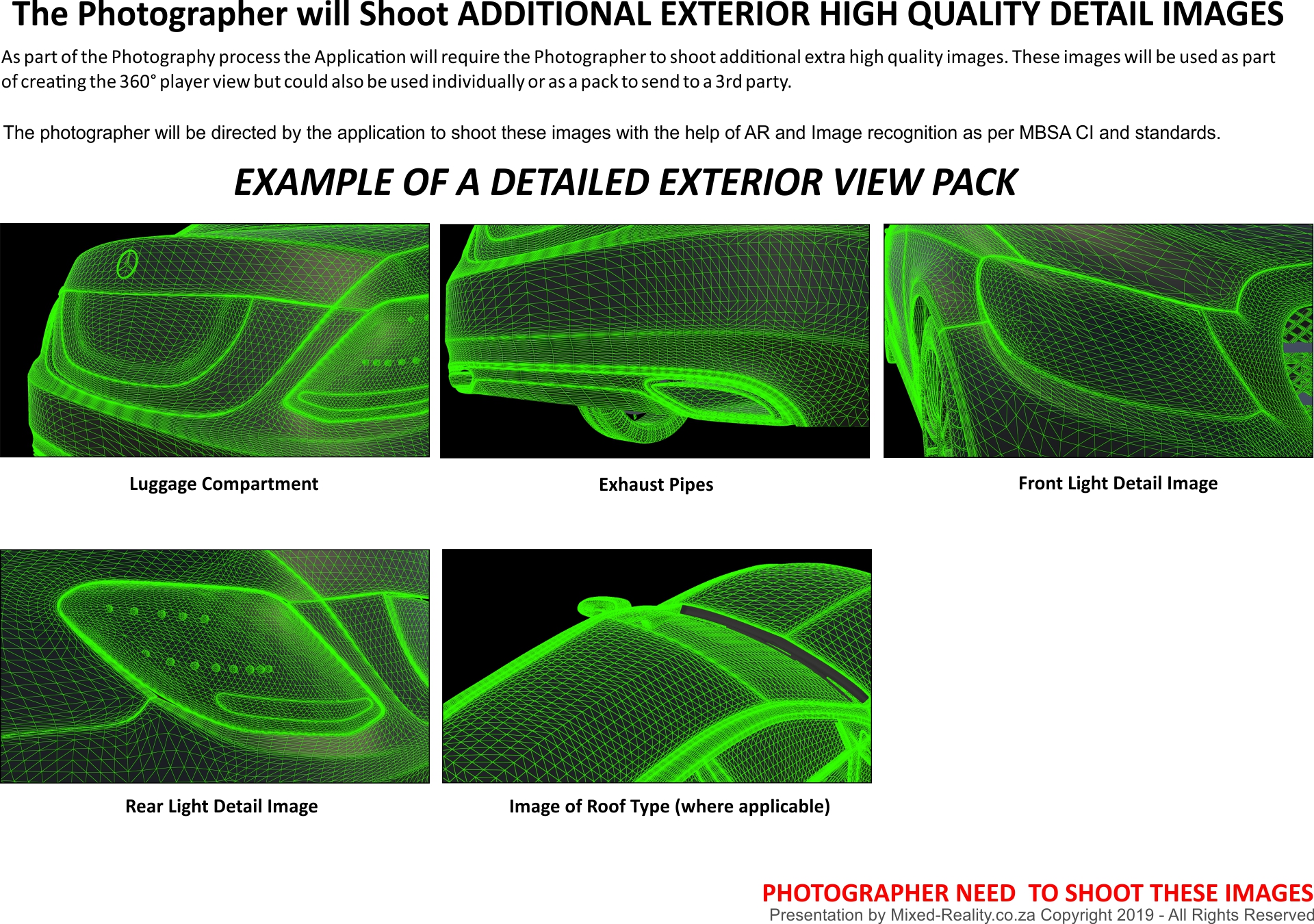
When the Capture of the 360° Images is complete – The photographer can immediately see the results – He can then view the images and review the quality of his shoot. If it is acceptable he can click on the accept button and move to the next task as per application. If there is a specific image that the photographer feels can be improve he can move to the position where the photograph was taken, the Application will direct him to the correct position, and will recognize when photographer is in correct position. The photographer can then retake the photo, see the preview, accept it and then review the complete project again. If acceptable the photographer clicks accept and can move to the next task! - CAPTURE HIGH DETAIL EXTERIOR IMAGES: The Application will direct the Photographer to take close up images of the Mandatory High Quality Images. The Application will show the photographer which image he needs to take. Photographer moves to image as directed by the application and points the camera at the target. The application will provide a mask guideline to show the photographer how he must take the picture. The photographer then needs to align the camera to the correct angle and guide. Once the camera is in position the application will take the photo. (Using AR and Image Recognition to reduce human error and standardise photographs across MBSA dealerships) – Once image is taken, the application will show a preview image. If the quality is acceptable the photographer can accept it and move to the next task as directed by the application. (If the photographer is not happy with the image he can then retake the image, and preview the image, once the photographer is happy with the image, he can accept it, and move to the next task.
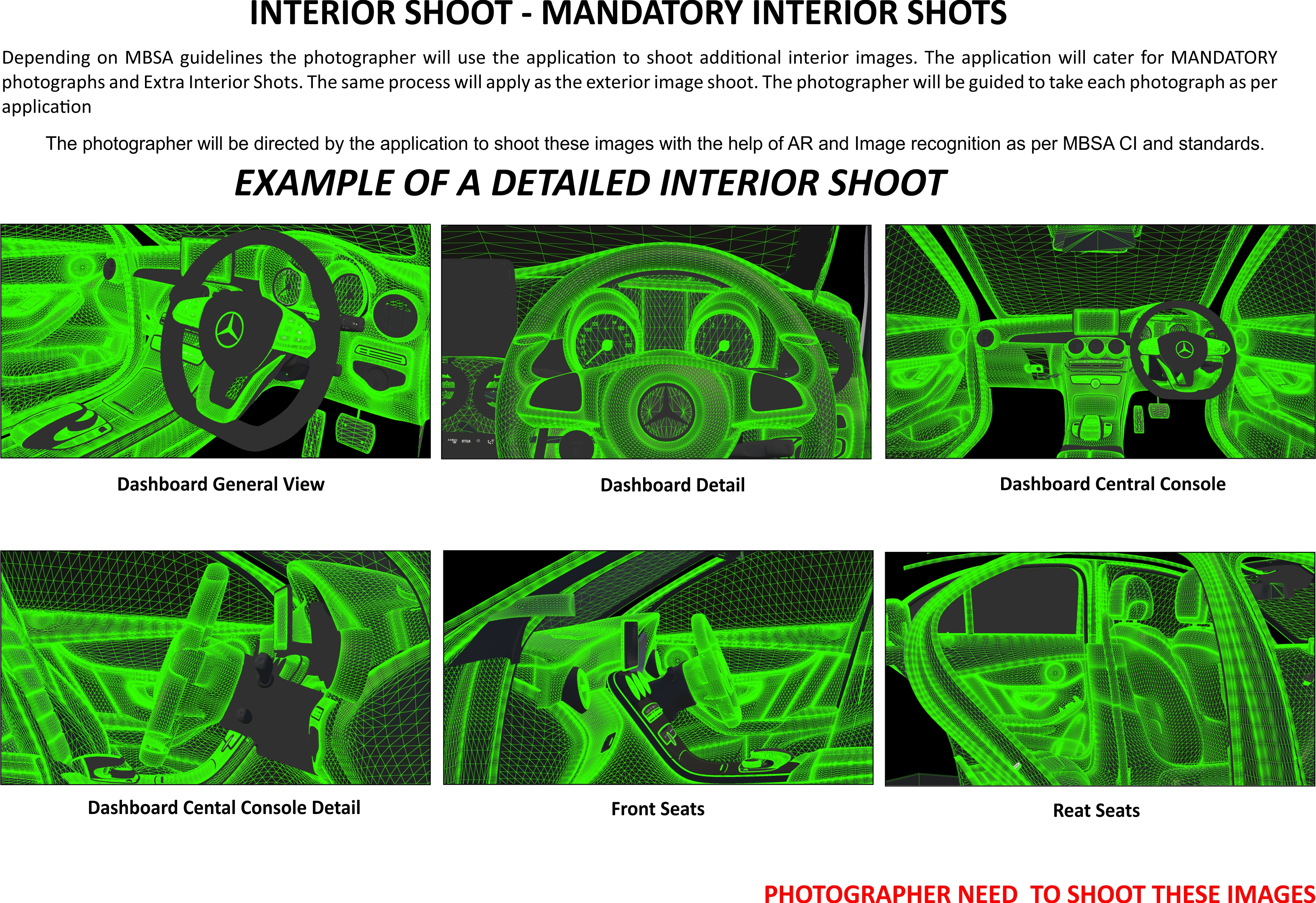
- CAPTURE HIGH DETAIL INTERIOR IMAGES: The application will now instruct the Photographer to take photos of the interior of the vehicle. The photographer is instructed to move to the correct position for the photograph. Once the photographer is in the correct position he will then need to point the camera to the object and visually move and adjust the camera into the correct position. If the camera is in the correct position the AR and Image recognition built into the application will recognize that the camera is in the correct position. It will then allow the photographer to take the photo. Once the photo is taken the photographer can preview the image. If he is happy with the quality of the photograph he can then accept the photograph and the application will direct him to the next photograph that needs to be taken. (These are based on the MODEL number originally identified and might be vehicle specific).
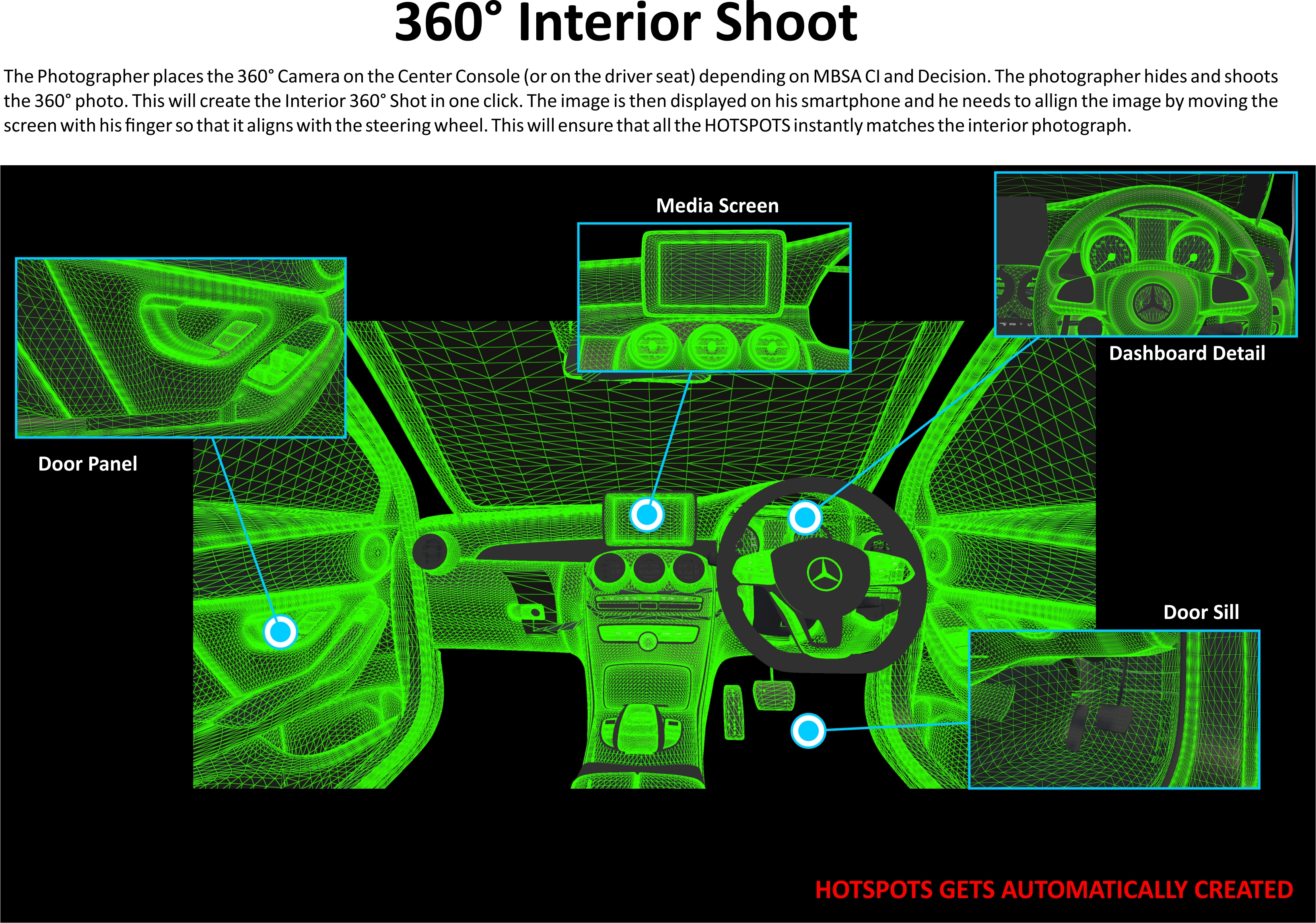
- Once the photographer completed the HIGH DETAIL INTERIOR IMAGE process the application will direct the photographer to take the interior 360° Image. The photographer will then get the 360° Camera and set it up in the Vehicle as directed. The photographer will connect to the 360° camera via his smart phone, and then take the image. Once the image is taken, the photographer can preview the 360° image. If the quality is acceptable the photographer can move to the next step. If the photographer is not happy with the quality of the image he can then retake the photo and repeat the process until he is happy with the quality of the 360° image.
- Once the photographer completed all the steps he can then preview the final product. If for some reason the photographer is not happy with any part of the shoot, he can go back to the specific part and repeat the process for the specific part that he is not happy with (without repeating the whole process).
- The photographer can then accept the project as a whole and submit it for review.
- The application will work on a Permission base system. This is configurable per dealership level.
- The Photographer can then (if he has the correct permission, submit it to MBSA directly). If the photographer doesn’t have the rights to submit it directly to MBSA the correct person will be notified via EMAIL or Application Notice that there is a new asset that needs to be approved.
Person with correct permission level can then review the project and accept or reject (with notes on why it has been rejected) the project.
If the project is rejected – the photographer will receive an email and in application notification about the rejection and notes on why it has been rejected. The photographer can then fix the project by re-shooting the specific parts of the project that was rejected and resubmit it for approval. - Once the project has been submitted – It can be viewed on a normal Browser or in the application itself by the relevant parties. The web interface will allow relevant parties to then distribute the content to 3rd parties, customers or Social Media (as directed by MBSA policies and Standards). This can be built into the application to become autonomous with specific rules setup per individual dealership.
- The Sales person will also be able to download the application – He/She can then scan the vehicles License disk to recognize the vehicle and access details about the vehicle, and share these to clients directly (Based on MBSA rules and policies).
To be Finalized by MBSA and Mixed Reality on approval
This outline of the process can be specifically developed to the exact MBSA Rules and Regulations and setup on a dealer specific requirements and autonomous. EG dealer 1 might use different advertising platform as dealer 6, 7 and 8 and might not want to submit to these 3rd parties but rather to a unique local advertiser. Depending on MBSA rules on social media dealers can submit to their own Social Media platforms automatically depending on rules, and it might differ from individual dealerships to the next dealerships.
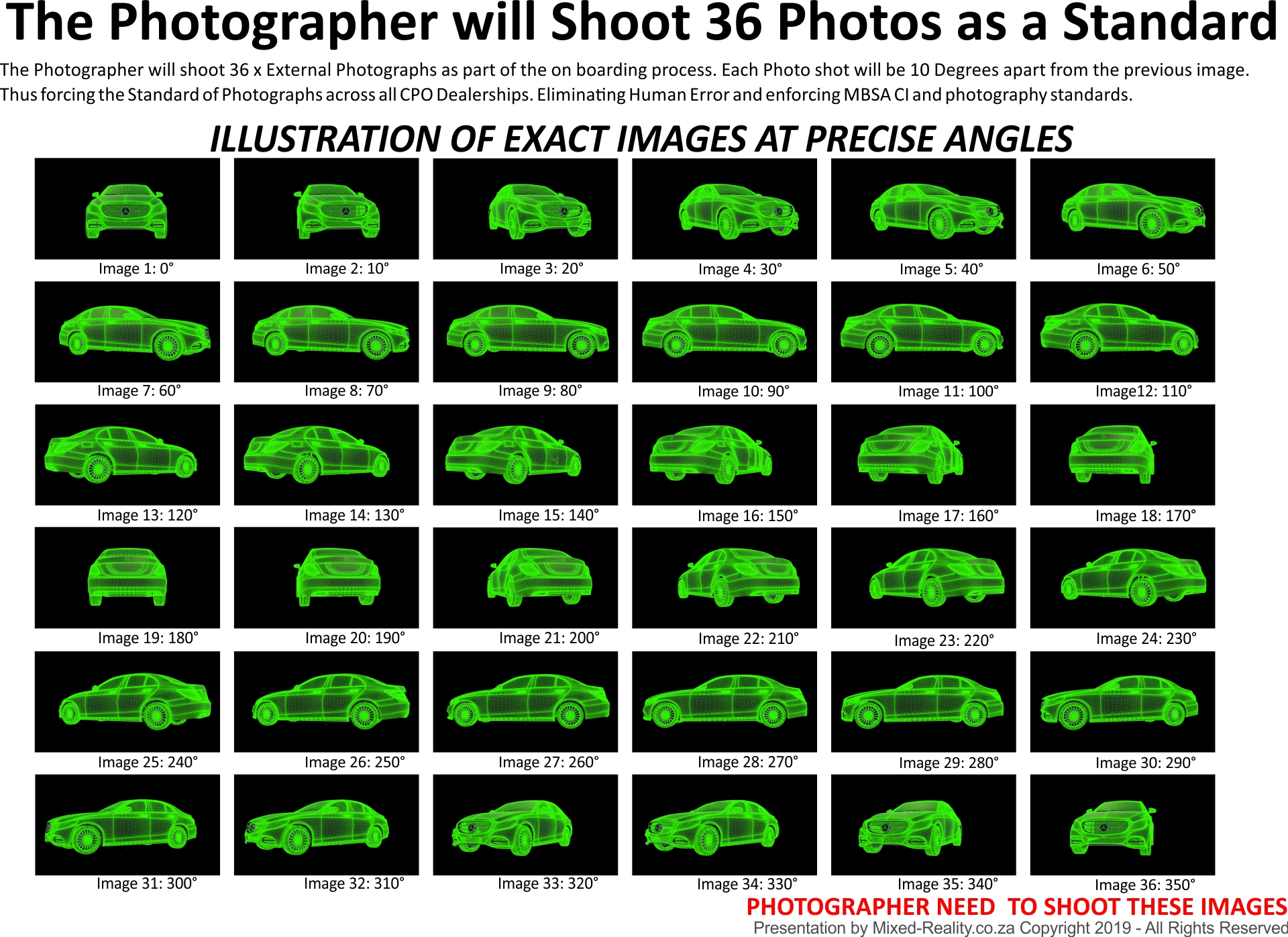

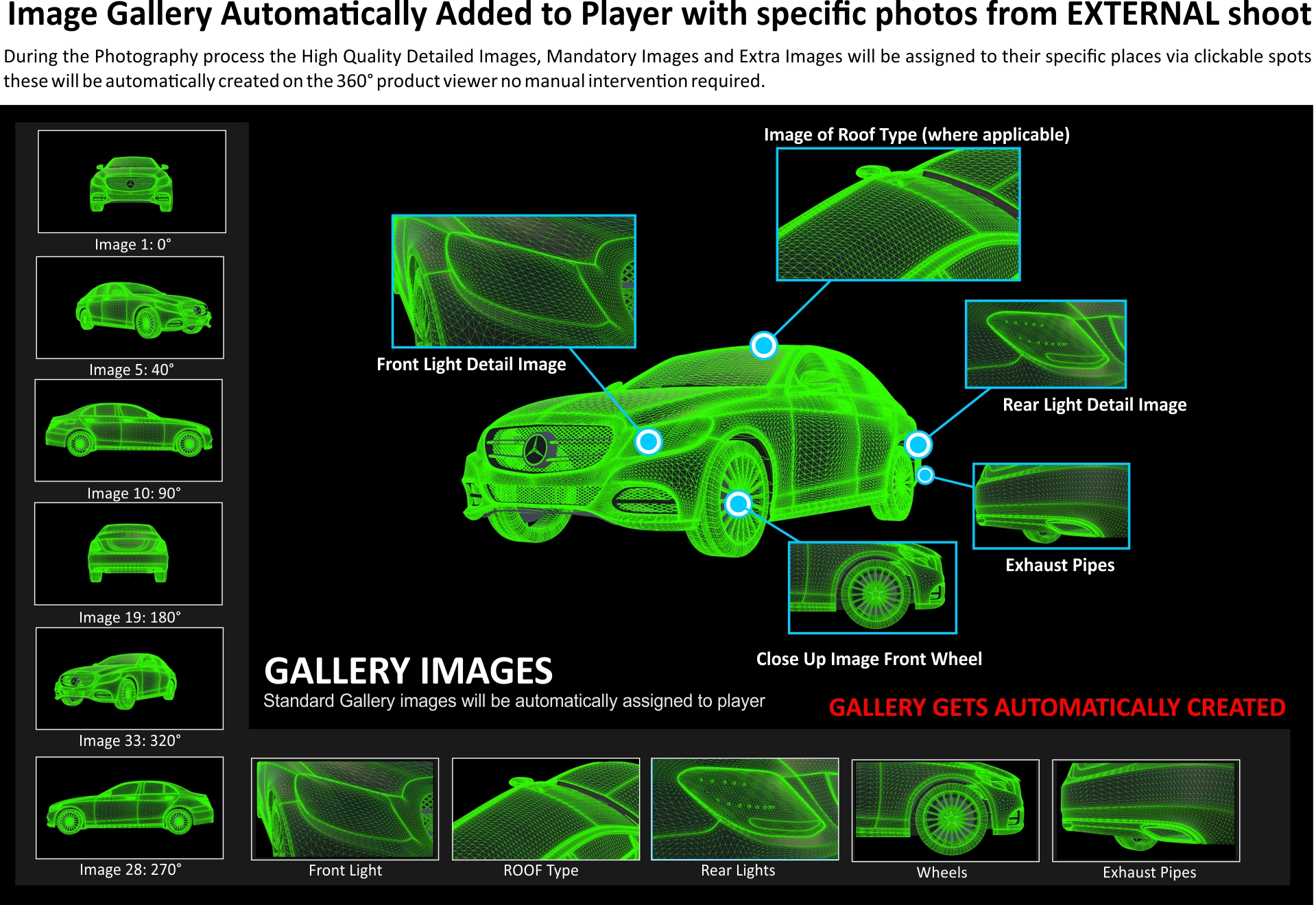

Interactive Example of Mercedes-Benz External 360° Product View
Due to the short notice we have not completed the 360° Product View application – However this should give you a good idea of how it will work and what it will look like.